

Automate Warehouse & Inventory Operations with AI
donia® helps warehouse teams automate goods registration, stock replenishment, and picking routes. Connect your inventory data, reduce manual effort, and keep operations running without delays.
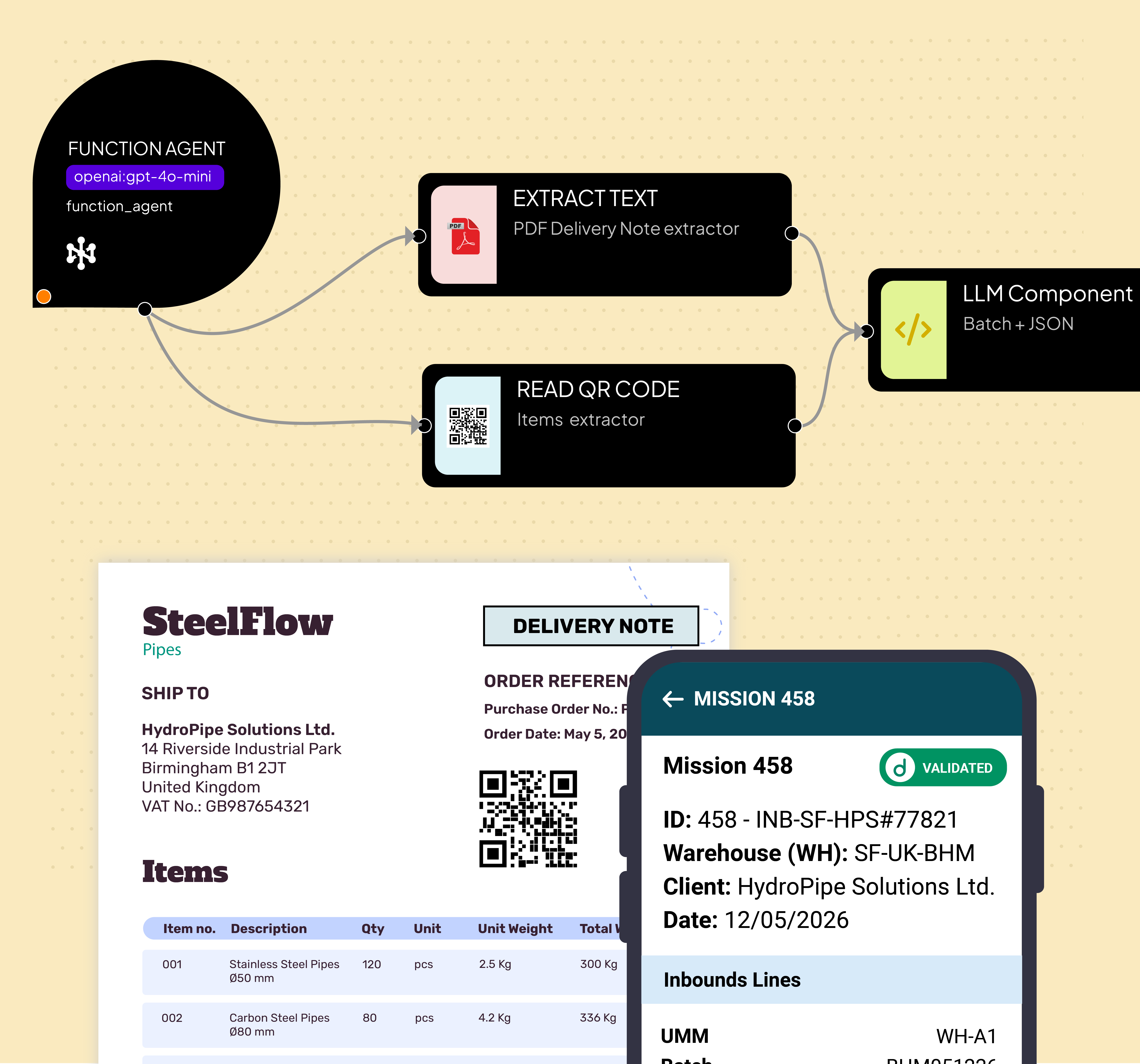
01. Incoming Goods → Auto Registration → Stock Update
Goods Registration
Automate the receipt and registration of incoming goods by reading delivery documents, barcodes, or supplier data. donia® validates quantities, matches purchase orders, and updates stock levels without manual data entry.
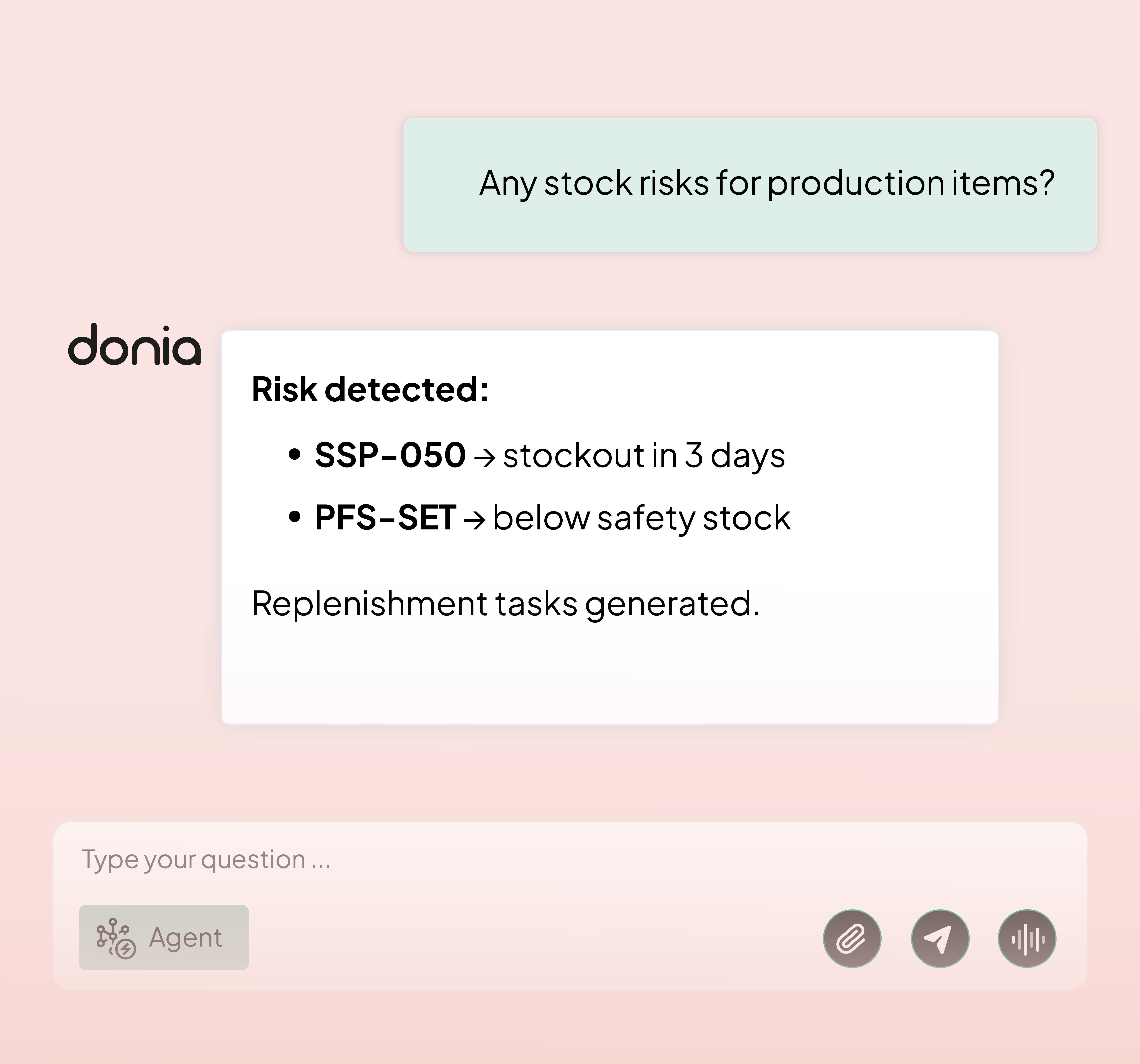
02. Inventory Levels → AI Forecast → Replenishment Plan
AI Replenishment
Monitor stock levels continuously and use AI to anticipate depletion before it happens. donia® generates replenishment plans based on consumption patterns, lead times, and safety thresholds, reducing stockouts and excess inventory.
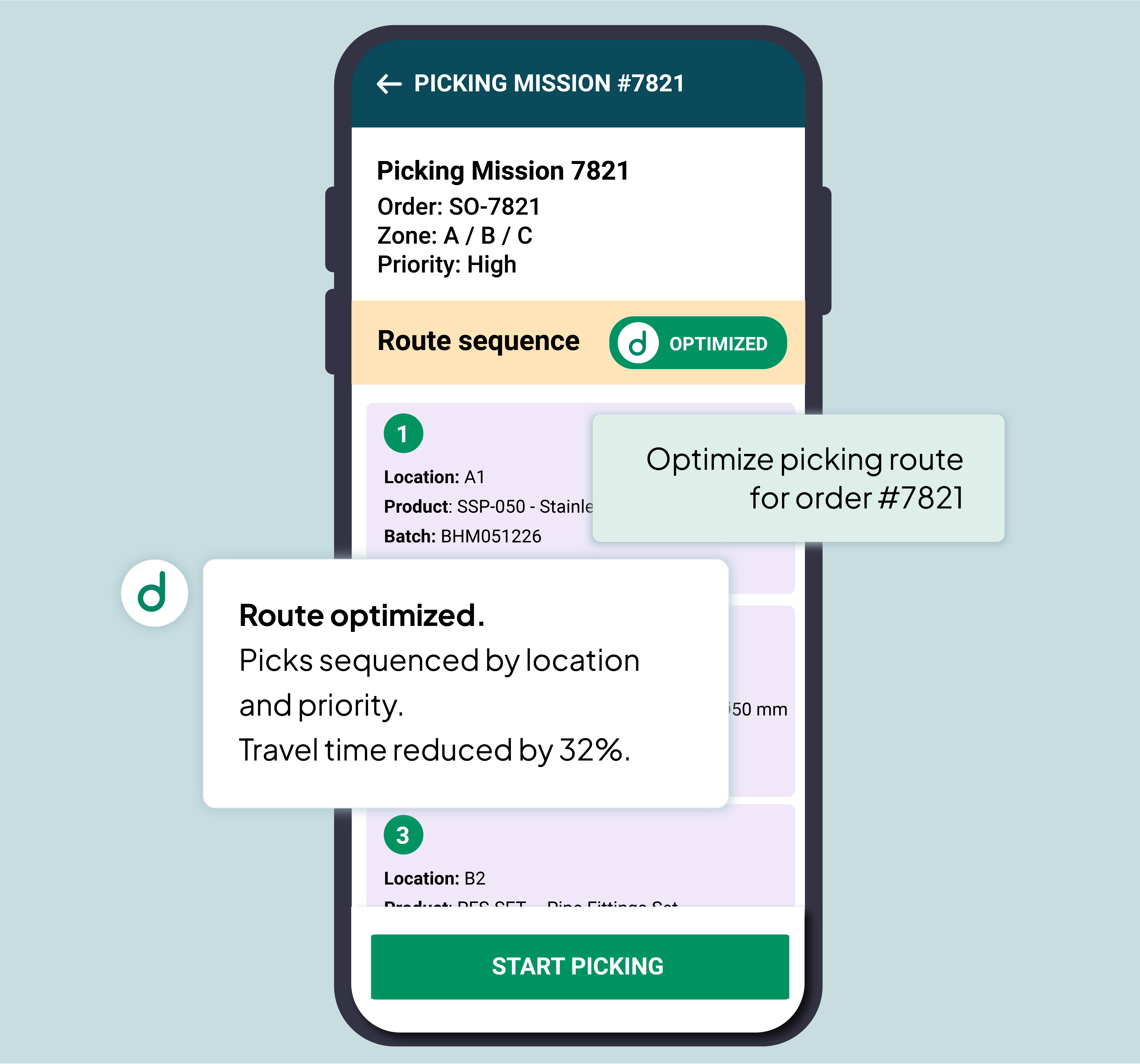
03. Picking List → Route Optimization → Execution Tracking
Route Optimization
Transform picking lists into optimized warehouse routes that minimize travel time and operator effort. donia® sequences picks by location, zone, and priority, and tracks execution to keep order fulfillment fast and accurate.
Your factory operations, powered by donia®
IMAP Trigger
Start warehouse workflows automatically from supplier emails, delivery notifications, or purchase order confirmations.
Extract Images
Read delivery labels, barcodes, and shipping documents using vision models to automate goods identification and intake.
Webhook
Connect to WMS, ERP, or IoT devices via webhook to trigger or update inventory workflows in real time.
Code Executor
Run custom logic for stock calculations, threshold checks, or data transformations within any warehouse workflow.
Convert to File
Export replenishment plans, picking lists, or stock reports as structured files ready for downstream systems.
To Markdown
Format stock alerts, picking instructions, and inventory summaries as clean readable text for operators and managers.
Frequenlty asked questions:
-
Do I need coding skills to build scheduling workflows?
No. donia® lets you design scheduling workflows visually using nodes, conditions, triggers, and AI logic. Technical teams can extend flows with code when needed, but most production automations can be configured without starting from scratch.
-
Can Donia connect to our ERP, MES, or planning database?
Yes. donia® is built to integrate with factory systems, databases, and operational data sources. You can connect orders, resources, calendars, and shopfloor signals to create scheduling workflows that reflect how your plant actually works.
-
Can I use Donia for multiple production scenarios?
Definitely. You can use it for order scheduling, bottleneck detection, AI rescheduling, capacity checks, labor cost analysis, document extraction, and many other industrial workflows without being limited to a single use case.
-
Does it support AI models like GPT or local LLMs?
Yes. donia® can orchestrate external models such as GPT, Claude, or Grok, and it can also work with local open-source models managed with Ollama. This gives you flexibility across cloud, private, and hybrid environments.
-
Is Donia suitable for secure industrial environments?
Yes. donia® is designed for operational contexts where control, traceability, and data protection matter. It can be deployed in ways that align with internal IT requirements, including integrations with private systems and factory data sources.
Some clients feedbacks

“donia® automated the extraction of components and routing cycles from DOCX production orders. Manual checks replaced by a structured workflow — faster and more consistent across our operations.”

Luca Passuello
Operations, Gruppo Gonzato
“With donia®, we extract bills of materials from electrical diagrams automatically. Less manual effort, better accuracy, and engineering documents turned into production data faster.”

Nicola Vaccari
CEO, Siger
“We use donia® on two agentic workflows: order entry from email and Text-to-SQL for job scheduling. Faster recognition of customers and operational data — smarter order management and planning.”

Marco DeGiorgi
Operations Team, Gruppo AroAutomate production scheduling with AI workflows.
14-day trial, no credit card required.