Platform
Visual orchestration for industrial AI
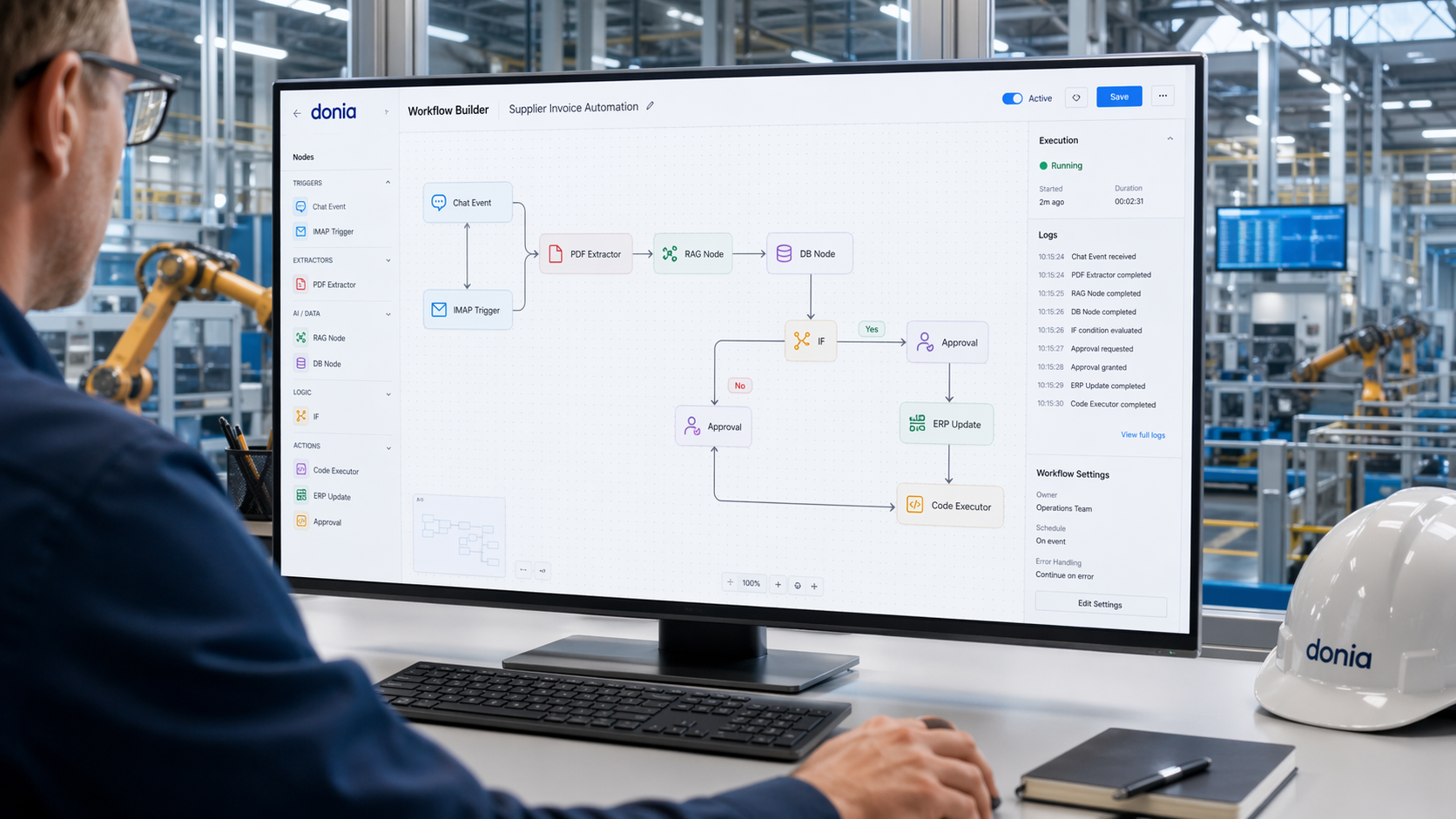
Design and automate industrial processes visually. Build workflows with triggers, nodes, decision logic, and AI-powered actions across factory systems, documents, and operational data.
donia®'s Workflow Builder lets teams create structured automations for production, warehouse, scheduling, document processing, and workforce operations without relying on disconnected tools.
From incoming events to AI decisions and system updates, every workflow can be modeled visually, connected to real factory data, and adapted to your operational logic.
Trigger-based workflow start
Visual node orchestration
External actions and automations
Reusable workflow components
Fast deployment across operations
Event-driven multi-step flows
Conditional routing with IF nodes
Business rules and branching logic
AI-assisted decisions
Human-readable execution paths
API-based workflow inputs
Database reads and writes
ERP, MES, and WMS connectivity
Structured data transformations
Automated output to downstream systems
01. Trigger → Node Flow → Action Execution
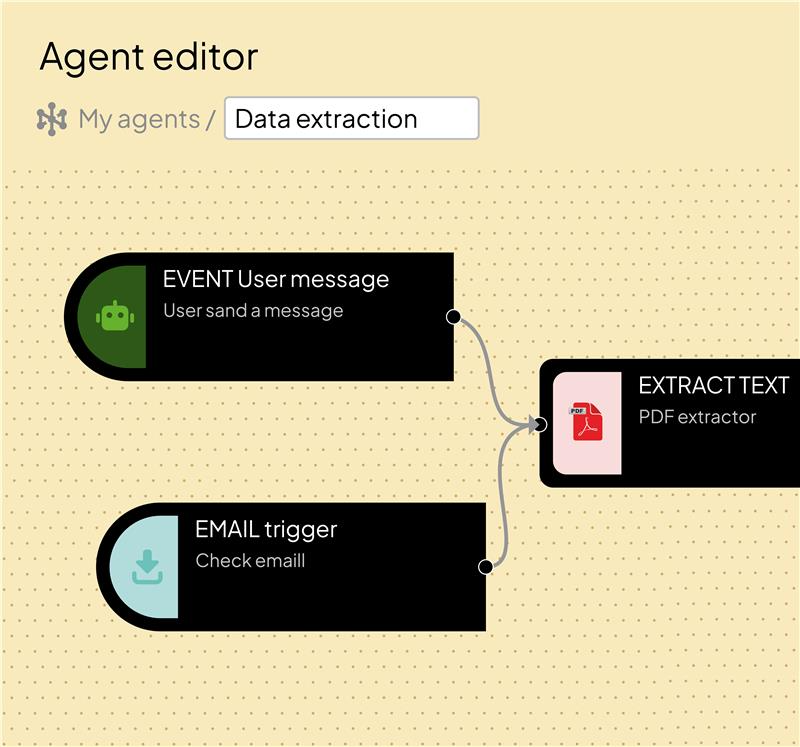
Start workflows from business events, user inputs, emails, or external systems, then orchestrate actions visually across connected nodes. donia® helps teams automate repetitive operational steps with clarity and control.
02. Event → Multi-step Workflow → Decision Logic
Build flows that evaluate conditions, apply rules, and route execution dynamically. From simple checks to advanced AI-assisted decisions, donia® enables workflows that reflect real industrial logic.
03. API Input → Data Processing → System Update
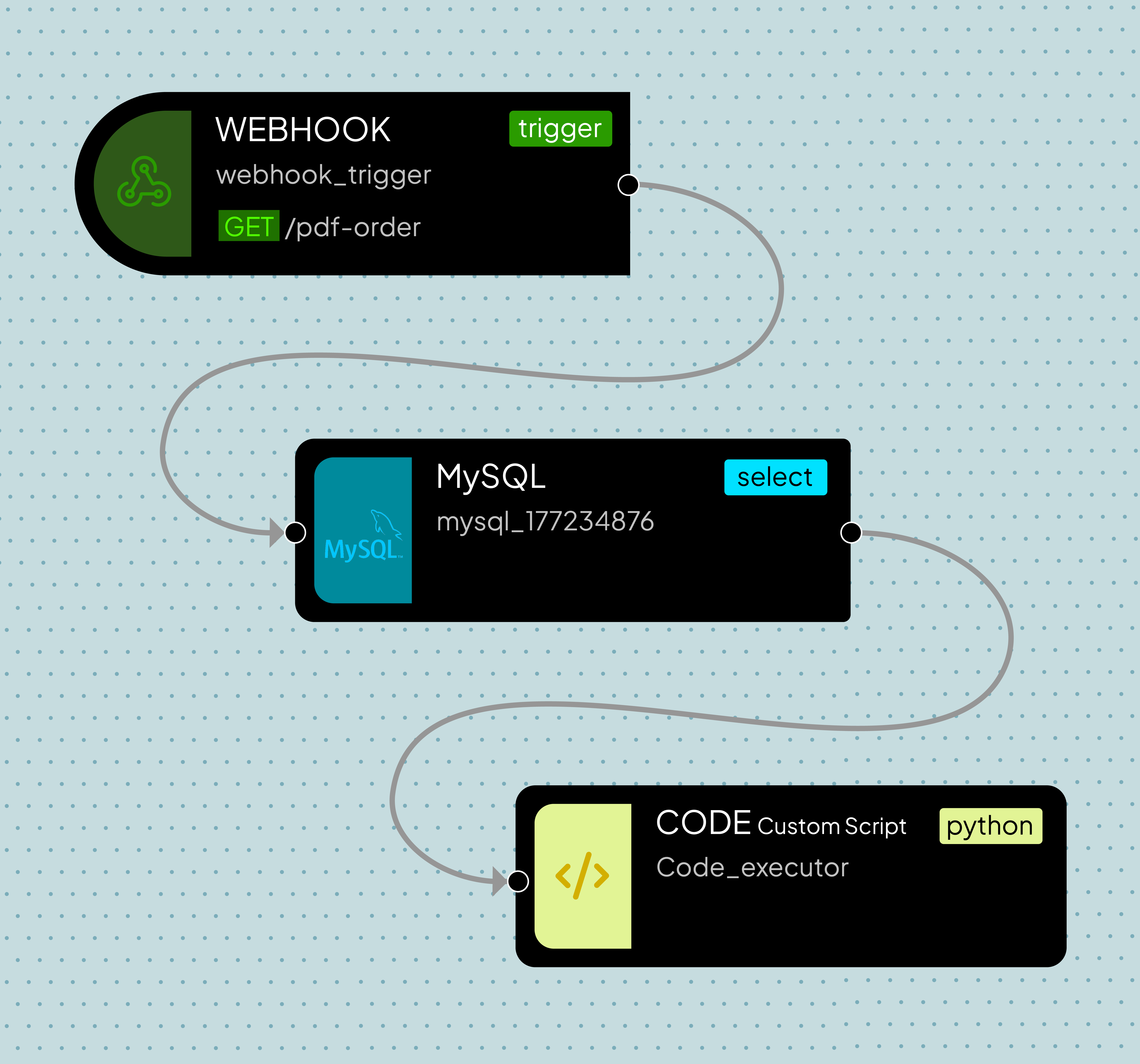
Receive data from external systems, process it through nodes, and send structured updates back to databases, applications, or operational platforms. Keep workflows connected to the systems that run your factory.
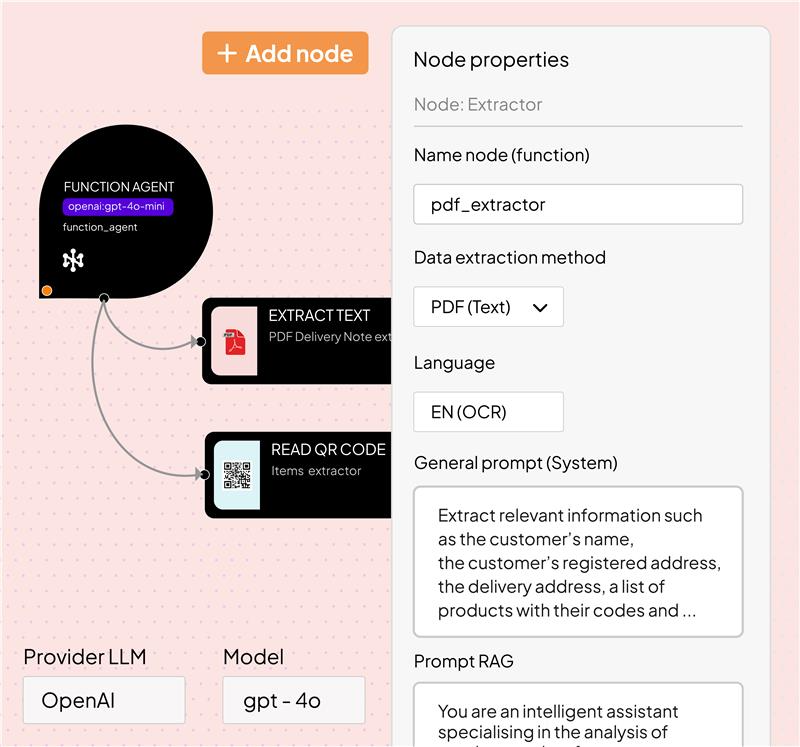
Combine triggers, data access, extraction, logic, and execution nodes to design industrial workflows that connect people, systems, and AI in a single visual environment.
Start workflows from user interactions and use the conversation as the entry point for any industrial automation.
Index and retrieve operational knowledge. Upload files and use them inside workflows for context-aware answers and decisions.
Extract data from business documents using text extraction, OCR, or vision-based analysis to turn files into structured workflow input.
Query connected data sources to retrieve production, warehouse, scheduling, or business information required by the workflow.
Evaluate conditions and route the execution path based on logic, thresholds, or operational rules defined in the workflow.
Run Python or JavaScript to implement advanced calculations, transformations, or plant-specific behavior within any workflow.
Also available: Webhook · IMAP Trigger · MySQL · To Markdown · Extract Images · Convert to File
Explore the MarketplaceReal results from manufacturers using donia® in production.
“donia® automated the extraction of components and routing cycles from DOCX production orders. Manual checks replaced by a structured workflow — faster and more consistent across our operations.”
“With donia®, we extract bills of materials from electrical diagrams automatically. Less manual effort, better accuracy, and engineering documents turned into production data faster.”
“We use donia® on two agentic workflows: order entry from email and Text-to-SQL for job scheduling. Faster recognition of customers and operational data — smarter order management and planning.”
Design automation flows that connect events, data, business rules, and AI across your operations.
14-day trial, no credit card required.